Fill requests
Log call-ins with a reported tank level and urgency. See which requests are open, assigned to a route, or delivered.
Dispatch deliveries, follow progress from the office, and bring the details of every stop back from the field.
The office and drivers work from the same route, from the first assignment through the final delivery.
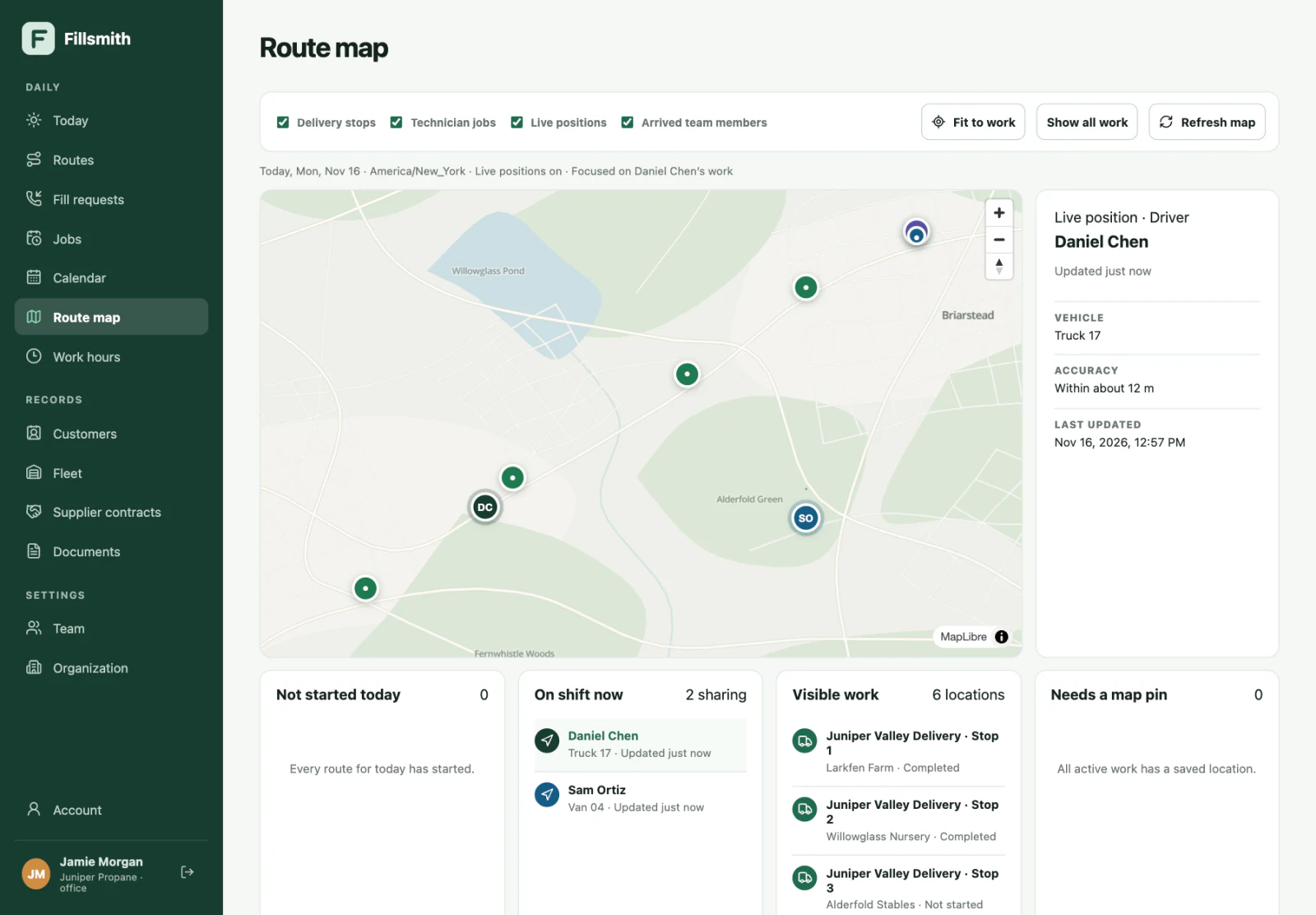
See stop status, recorded arrivals, and active technician jobs on the route map. View the latest shared position for clocked-in team members while Fillsmith Field is open.
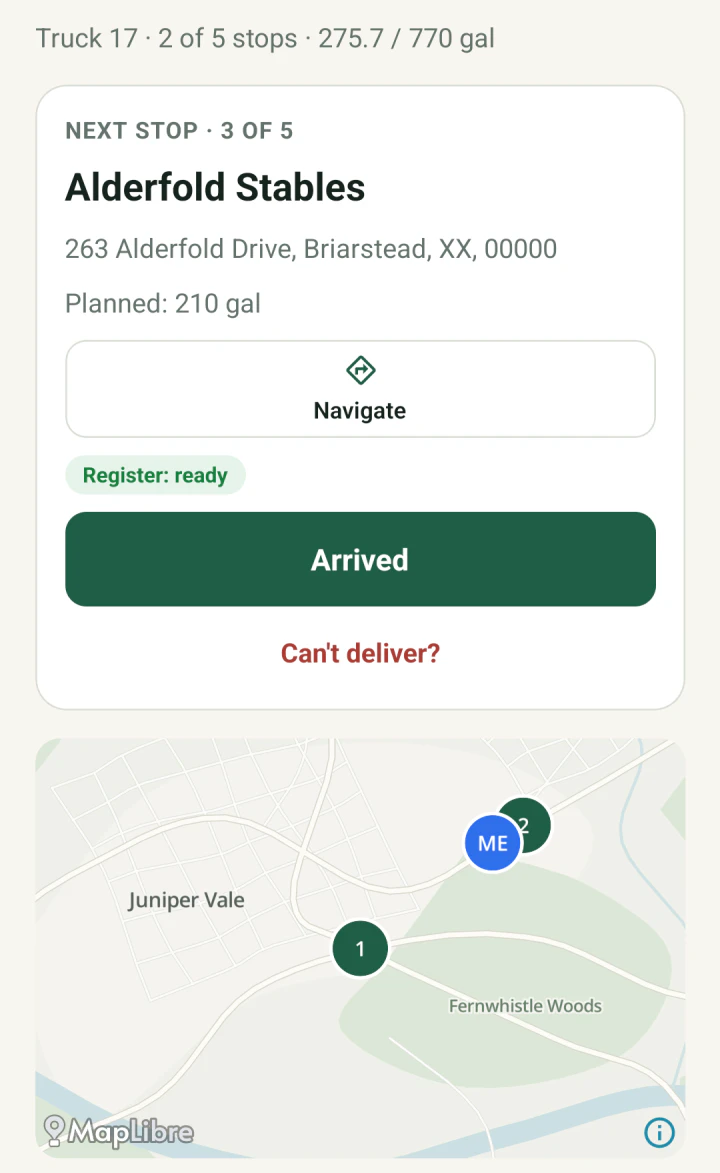
See where to go next, check tank and access details, and record a delivery or explain why a stop was skipped.
See how meter readings carry throughCapture the gallons measured by the truck’s register and carry them through to the office for review.
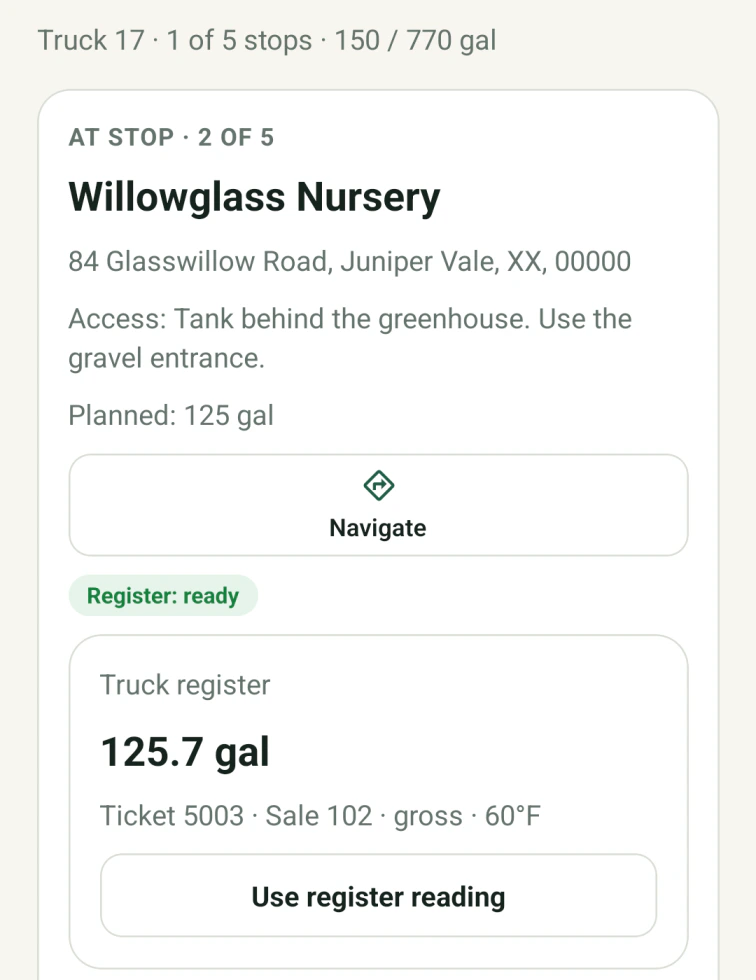
The driver applies the 125.7-gallon reading to the Willowglass Nursery stop. Changing the amount requires a note.
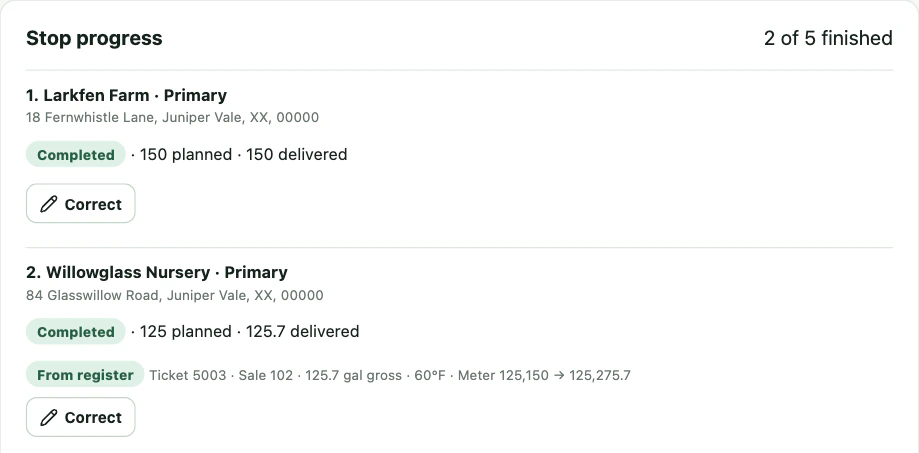
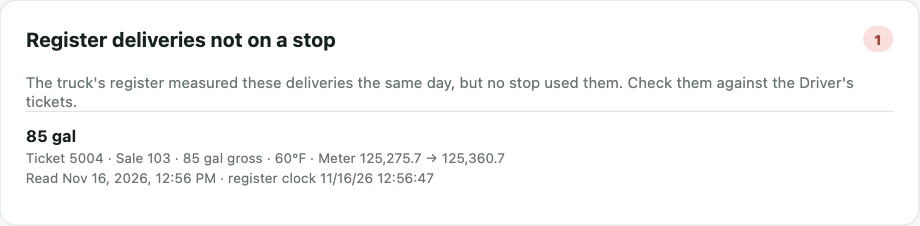
The completed stop shows the same 125.7 gallons and ticket 5003. The office can also review adjustments and unmatched readings.
Log call-ins with a reported tank level and urgency. See which requests are open, assigned to a route, or delivered.
Drivers clock in with their assigned truck and pass a pre-trip inspection before starting the route. The office can review both records.
Assign service calls, then review the notes and completion status technicians record from the Field app.
Dispatch loads between pickup and dump sites. Drivers record weights and ticket photos, and the office can review missing tickets and export the day’s loads.
We’re inviting a small group of propane companies to work directly with us as Fillsmith develops. Tell us about your operation and we’ll follow up personally.